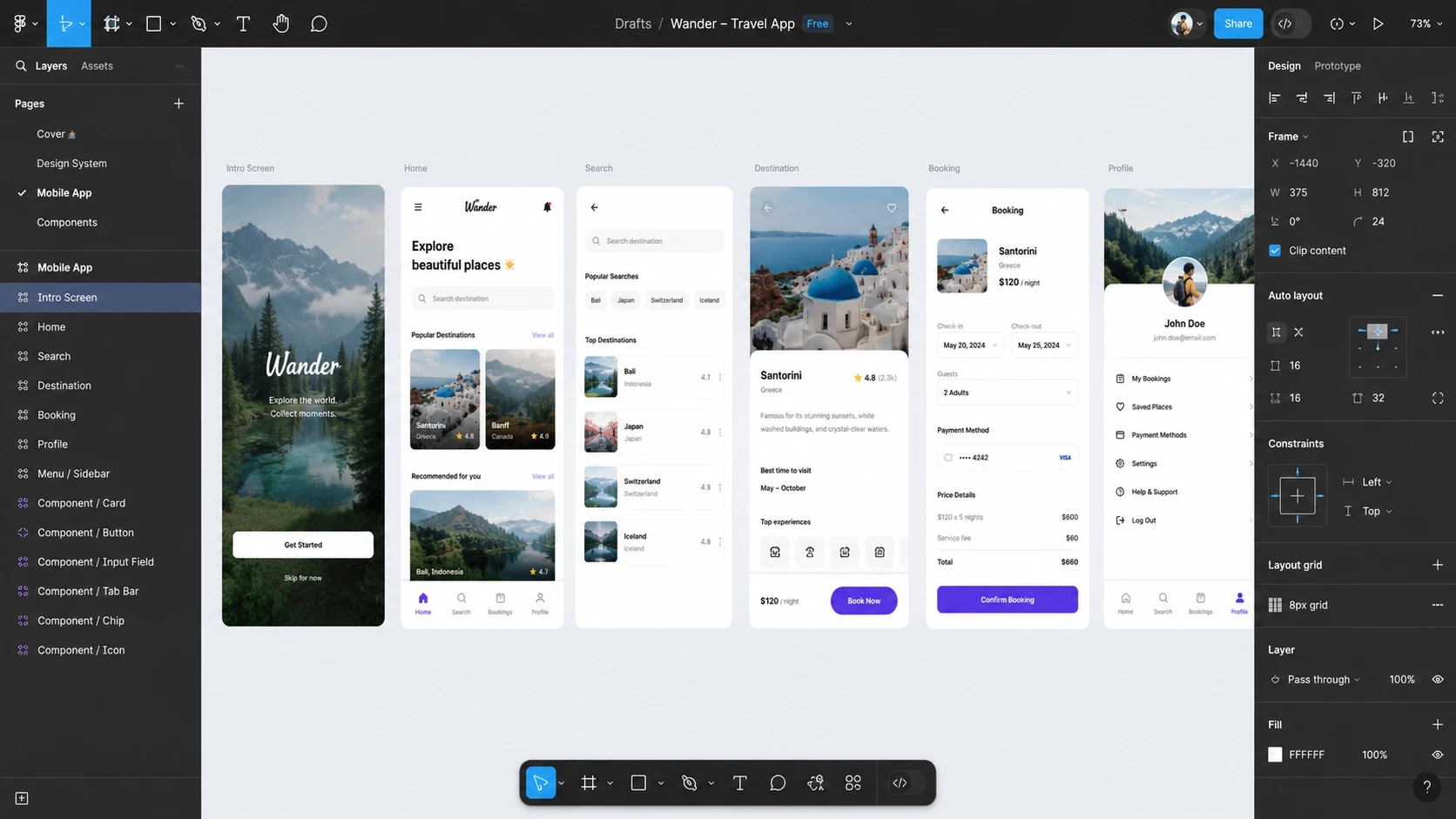
Figma UI/UX Design for Beginners

Use Figma to get a job in UI Design, User Interface, User Experience design, UX Design & Web Design
Bestseller

Created By -

Daniel Walter Scott

4.7 | ★★★★★ | 23 Ratings | 👨‍🎓 167 Learners
Course Preview Thumbnail
“For any downloading issues, please contact our support team. 7821980742 ( Whatsapp Only ) If we are unable to resolve the issue, we will refund your money.”

Full Lifetime Access

Description


What You’ll Learn

  • How to start your journey as a UX Designer using Figma.
  • How to use Figma for the essential parts of UX and UI design.
  • How to build fully interactive prototypes.
  • How to work with UX personas effectively.
  • You’ll be able to include UX design skills on your CV.
  • How to create a complete UX project from start to finish.
  • What clients typically expect from someone in a UX design role.
  • How to design simple wireframes.
  • How to apply colors and images correctly in your layouts.
  • The important dos and don’ts of selecting fonts for mobile apps and websites.
  • How to design your own buttons, icons, and other UI elements.
  • Understanding concepts such as Components, Constraints, and Multi-Dimensional Variants.
  • Access to free UI kits and Figma plugins that significantly speed up your workflow.
  • How to develop a basic style guide that’s ready for client delivery.
  • How to create simple and advanced micro-interactions, animations, and page transitions.
  • How to design websites and mobile applications.
  • Working with typefaces and color systems.
  • Testing designs directly on mobile devices.
  • Exporting assets that are ready for production.
  • Creating your first UX brief and persona.
  • Professional workflow tips and shortcuts.
  • Support from the instructor and the BYOL community.
  • All the methods and techniques used by professional UX designers.
  • Access to 111 detailed video lessons covering Figma, UX, and UI design.

This Course Includes

  • 9.5 hours MP4 video
  • Assignments
  • 1 article
  • 1 Project File
  • Offline Learning

Requirements

  • A copy of Figma (a free version is available on Figma’s website).
  • No prior UX or UI design experience required.
  • No previous knowledge of Figma needed.
  • No design background necessary.

Who This Course Is For

  • Anyone who wants to start using Figma professionally and earn money with UX design.
  • Beginners, newcomers, and hobbyists exploring UX design.
  • People stepping into the design and user-experience field for the first time.
  • Anyone who needs to showcase “UX Design” in their portfolio.
  • Anyone eager to learn the core principles of UI and UX design.

Hi — I’m Dan Scott, and welcome to Figma Essentials.

You and I will cover everything required to begin a career as a UX Designer using Figma. We’ll use this powerful UI/UX tool to design attractive user interfaces and build engaging prototypes. Most importantly, we’ll go over what clients expect from you as an entry-level UX designer. This course is designed for people who are new to design and new to user experience. If you’re unsure about what UX actually is, don’t worry — we’ll start from the ground up and progress step by step. First, we’ll explain how to interpret a brief and how to work with a UX persona. Next, you’ll learn how to produce simple wireframes. After that, we’ll cover how to apply colors and images correctly in your layouts. You’ll discover the do’s and don’ts when selecting fonts for websites and mobile apps. You’ll also learn to design your own icons, buttons, and other UI elements. We’ll demystify terms like Components, Constraints, and Multi-Dimensional Variants — they sound intimidating but are simple once you see them in action. To speed up our workflow, we’ll make use of free UI kits and Figma plugins. We’ll put together a basic Style Guide that’s ready to hand off to a client. You’ll learn how to create both simple and advanced micro-interactions, page transitions, and animations. By the end of the course you’ll have built fully interactive prototypes. You’ll carry a project from start to finish — collaborating with teammates and exporting the correct files for handoff to developers or software engineers. Although our focus will be on Figma, I’ll explain the UX techniques and terminology used in real projects so you understand how industry workflows operate. You’ll gain the confidence to manage your own UX projects. Throughout the course I’ll set assignments that develop your skills and help you create standout pieces for your portfolio. Alright — it’s time to level up and go from Figma Zero to Figma Hero.

Frequently Asked Questions

How do I access the course after payment?
Once your payment is successful, you will receive an instant download link on the website and in your email. You can access the course immediately — no waiting required.
+ Is this course beginner friendly?
Yes, absolutely. This course is designed for complete beginners. You don’t need any prior knowledge to start.
+ Do I need prior experience in design?
No prior experience is required. Everything is explained step-by-step from the basics, so anyone can follow along easily.
+ Is this a one-time payment?
Yes. This is a one-time payment. There are no hidden fees, subscriptions, or recurring charges.
+ Can I watch the course offline?
Yes. The course is available for download, so you can watch it offline anytime, anywhere.
+ Is there a refund policy?
Yes. For any downloading issues, please contact our support team.7821980742 ( Whatsapp Only ) If we are unable to resolve the issue, we will refund your money.”
11614232_b0fc

Instructor

Daniel Walter Scott

4.7 | ★★★★★ | 23 Ratings | 👨‍🎓 167 Learners
Sharing is who I am, and teaching is where I am at my best, because I’ve been on both sides of that equation, and getting to deliver useful training is my meaningful way to be a part of the creative community. I’ve spent a long time watching others learn, and teach, to refine how I work with you to be efficient, useful and, most importantly, memorable. I want you to carry what I’ve shown you into a bright future. I have a wife (a lovely Irish girl) and kids. I have lived and worked in many places (as Kiwis tend to do) – but most of my 14+ years of creating and teaching has had one overriding theme: bringing others along for the ride as we all try to change the world with our stories, our labours of love and our art. I’m a certified Adobe instructor (ACI) in Ireland. I’m also an Adobe Certified Expert (ACE) and have completed the Adobe Certified Associate training (ACA). And I don’t just do Adobe. Remember, media is a very broad term – digital blew out the borders, so we are all constantly learning. I’ve been teaching for 14+ years. I come from being a media designer and content creator – so I understand exactly where you’re at now. I’ve been there. I love this stuff. Print, digital publishing, web and video. I can see how it all connects. And I can see how we can share those connections. I built Bring Your Own Laptop in Ireland, New Zealand, Australia & online. I have a great team working with me to keep BYOL at the top of Adobe and digital media training. I understand business, I have one – so I know how important it is to get it right and make it work for you. Now my focus is on Udemy. It’s my mission to bring you the best training for digital media on Udemy. Daniel Walter Scott

Reviews

Nanouck

2/2/2026

Figma wordt in deze cursus super goed uitgelegd. Duidelijke opbouw en structuur, voldoende voorbeelden en goede lesopdrachten waardoor je je lessen in praktijk kan omzetten. Daniel geeft ook op een heel aangename manier les. Ik raad deze cursus zeker aan!

Helpful?👎

Adneris Colon

8/2/2026

I am new to UX design, and I really enjoyed this course. It gives you a strong foundation on Figma. I appreciate how hands on it the course is, and I must say the personality of Dan is a plus.

Helpful?👎

Adeniyi

2/3/2026

Even the littlest time counts when it comes to personal development and career growth. I have always wondered what UI/UX design entails with so much curiosity. GOD made it possible through family and friends. A big thank you to Dan and Udemy, for making my learning easy and seamless. Thank you for the constant Humor and side jokes Dan, you made learning fun. Thank you very much. Call me a UI/UX designer...... Cheers

Helpful?👎

Atul

25/2/2026

Daniel's Your work is awesome m Me being a graphics/web designer & developer since 20 years , Figma was new to me , but through this course I really got full knowledge of working as UI/UX Designer . Cheers

Helpful?👎

Oksana

12/2/2026

As usual, Dan demonstrates what a great instructor he is. This is a well balanced course with pertinent examples throughout. He teaches concepts methodically but in an engaging way. Dan's enthusiasm is infectious and makes me want to go create really cool things too!

Helpful?👎

Monica

13/3/2026

I loved this course! It is practical, and the explanations are clear. The teacher is a 10/10. The learning process was easy because you use what you learn to complete the exercises.

Helpful?👎

1. Introduction to Figma Essentials Training Course
2. Getting Started with Figma Training
3. What is Figma Used For & Does It Do the Coding?
4. What’s the Difference Between UI and UX in Figma?
5. What We Are Making in This Figma Course
6. Class Project 01 – Create Your Own Design Brief

Sending Email